Bosgame M5 fan control on Linux
The Bosgame M5 is a Strix Halo mini PC (Ryzen AI MAX+ 395, up to 128 GB unified memory) built on the Sixunited AXB35-02 board. Under Linux the fan curve is locked in the embedded controller (EC) firmware, which causes the fan to briefly spin up and immediately stop again in idle. This article explains how to take control of the fans with a kernel driver and a custom hysteresis curve, and how to monitor and stress-test the setup.
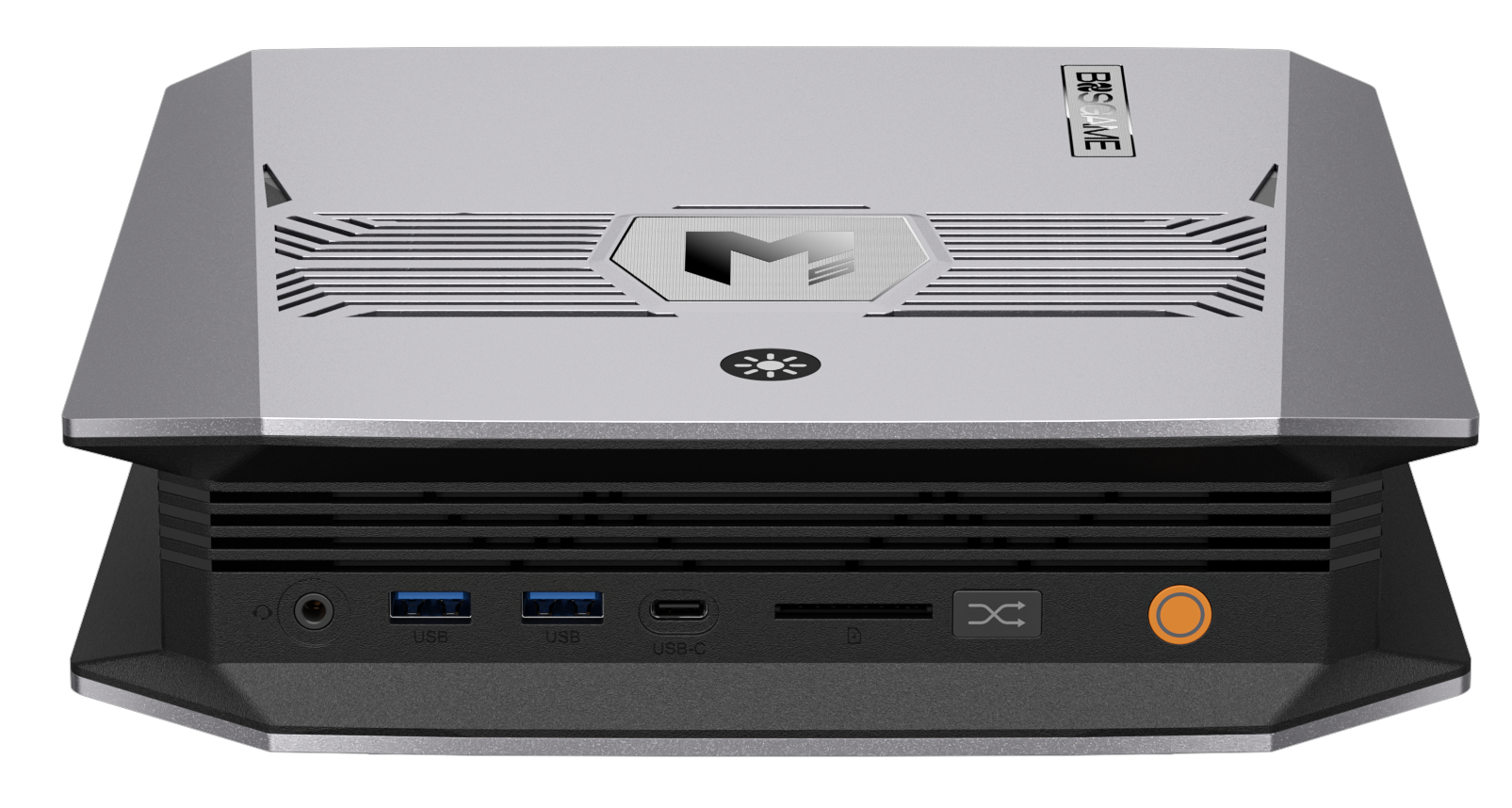
TL;DR: Install the
ec-su_axb35-dkms-gitAUR package, set each fan tocurvemode with arampup_curveand a lowerrampdown_curve(hysteresis), and apply it on boot via a systemd oneshot service.
Hardware background
- SoC: AMD Ryzen AI MAX+ 395 (Strix Halo), 40-CU Radeon 8060S iGPU
- Board: Sixunited AXB35-02 (also used in GMKtec EVO-X2, Peladn YO1, FEVM FA-EX9, NIMO AI MiniPC)
- EC: ITE IT5570E-128
- Fans: 3 (fan1/fan2 = CPU, fan3 = system)
- Power modes: quiet (55 W), balanced (85 W), performance (120 W)
The EC only exposes 6 discrete fan levels (0–5: 0 %, 20 %, 40 %, 60 %, 80 %, 100 %), not a smooth PWM range. Without extra tooling there is no fan or power-mode access from Linux at all.
The problem: fan jogging
Symptom: The fan repeatedly spins up for a moment and turns off again while the machine is idle.
Root cause: The firmware fan curve has no hysteresis. When the CPU temperature hovers around a level threshold, the fan toggles on every single degree. On this board the idle temperature sits at 40–45 °C, right at the fan on/off boundary.
Fix: Define a rampup_curve and a rampdown_curve with a temperature gap between them. The fan then only switches up when the CPU reaches the ramp-up value, and only switches down once it drops below the (lower) ramp-down value.
Driver installation (CachyOS / Arch)
The driver is written by Christoph Metz and published at cmetz/ec-su_axb35-linux. On Arch-based distros install it via AUR with DKMS (auto-rebuilds on kernel updates):
1
2
3
4
5
6
7
8
9
10
11
12
13
14
# Install the paru AUR helper (if missing)
git clone https://aur.archlinux.org/paru.git /tmp/paru
cd /tmp/paru
makepkg -si

# Install the driver
paru -S ec-su_axb35-dkms-git

# Load and verify the module
sudo modprobe ec_su_axb35
dmesg | grep 'Sixunited AXB35-02 EC driver loaded'

# Load it automatically at boot
echo 'ec_su_axb35' | sudo tee /etc/modules-load.d/ec_su_axb35.conf
Pitfall: libalpm.so.15: cannot open shared object file
The prebuilt paru-bin package is linked against an older libalpm. On a current system (which ships libalpm.so.16) it fails to start. Use the source package paru instead of paru-bin so it compiles against the installed library.
Sysfs interface
The driver exposes its devices under /sys/class/ec_su_axb35:
| Path | Description |
|---|---|
/sys/class/ec_su_axb35/fan1..3/mode |
auto, fixed or curve |
/sys/class/ec_su_axb35/fanX/level |
0–5 (0 %, 20 %, 40 %, 60 %, 80 %, 100 %) |
/sys/class/ec_su_axb35/fanX/rpm |
current fan speed |
/sys/class/ec_su_axb35/fanX/rampup_curve |
5 temperatures (°C) that switch the fan up |
/sys/class/ec_su_axb35/fanX/rampdown_curve |
5 temperatures (°C) that switch the fan down |
/sys/class/ec_su_axb35/temp1/temp |
CPU temperature |
/sys/class/ec_su_axb35/apu/power_mode |
quiet, balanced, performance |
Hysteresis curves
Each curve holds 5 values. rampup_curve defines the temperature at which the fan moves up to level 1–5; rampdown_curve defines when it moves down to level 4–0. The gap between the two curves is the hysteresis.
Ramp-up 60,70,83,95,97
| CPU reaches (°C) | Fan switches to |
|---|---|
| 60 | Level 1 (~20 %) |
| 70 | Level 2 (~40 %) |
| 83 | Level 3 (~60 %) |
| 95 | Level 4 (~80 %) |
| 97 | Level 5 (100 %) |
Ramp-down 50,60,80,90,95
| CPU falls below (°C) | Fan switches to |
|---|---|
| 95 | Level 4 |
| 90 | Level 3 |
| 80 | Level 2 |
| 60 | Level 1 |
| 50 | Level 0 (off) |
Behaviour in practice
- Idle (40–45 °C): fan off (below 50 °C → level 0)
- 50–60 °C: level 1
- Rising past 60 °C switches up; it only turns off again below 50 °C, so there is no jogging
The diagram shows the cycle around the on/off boundary:
1
2
3
4
5
Temp    Fan
40 C    OFF  <-- idle
50 C    ON   (level 1)      ^ rampdown_curve[0] = 50
60 C    level 2             ^ rampup_curve[0]   = 60
...                          (10 C of hysteresis)
Rules of thumb
- Values must be monotonically increasing and must not overlap.
- Wider gaps = slower, quieter behaviour, but briefly hotter.
- Raise ramp-down values to make the fan turn off at a higher temperature.
- An idle temperature of 40–45 °C is completely safe for the Strix Halo chip, a permanently running level-1 fan only adds noise.
Manual application
1
2
3
echo curve > /sys/class/ec_su_axb35/fan1/mode
echo "60,70,83,95,97" > /sys/class/ec_su_axb35/fan1/rampup_curve
echo "50,60,80,90,95" > /sys/class/ec_su_axb35/fan1/rampdown_curve
Automating with systemd
A oneshot service applies the curves shortly after boot (after the module is loaded).
File: /usr/local/bin/apply-fan-curves.sh
1
2
3
4
5
6
7
8
9
10
11
12
13
14
15
16
17
18
19
20
#!/usr/bin/env bash
set -euo pipefail

BASE=/sys/class/ec_su_axb35
RAMPUP="60,70,83,95,97"
RAMPDOWN="50,60,80,90,95"

for _ in {1..30}; do
    [ -d "$BASE" ] && break
    sleep 1
done

[ -d "$BASE" ] || { echo "ec_su_axb35 not found" >&2; exit 1; }

for fan in "$BASE"/fan*; do
    [ -d "$fan" ] || continue
    echo curve > "$fan/mode"
    echo "$RAMPUP" > "$fan/rampup_curve"
    echo "$RAMPDOWN" > "$fan/rampdown_curve"
done
File: /etc/systemd/system/ec-fan-curves.service
1
2
3
4
5
6
7
8
9
10
11
[Unit]
Description=Set custom fan curves with hysteresis on Sixunited AXB35 EC
After=systemd-modules-load.service
Wants=systemd-modules-load.service

[Service]
Type=oneshot
ExecStart=/usr/local/bin/apply-fan-curves.sh

[Install]
WantedBy=multi-user.target
Installation:
1
2
3
4
sudo install -m 755 apply-fan-curves.sh /usr/local/bin/apply-fan-curves.sh
sudo install -m 644 ec-fan-curves.service /etc/systemd/system/ec-fan-curves.service
sudo systemctl daemon-reload
sudo systemctl enable --now ec-fan-curves.service
A
oneshotservice reportsinactiveafter a successful run - that is normal. Verify withcat /sys/class/ec_su_axb35/fan1/mode, which should printcurve.
Monitoring and stress testing
1
2
3
4
5
# Temperatures and fan speeds
sensors                                # lm_sensors package; run sensors-detect once
sudo su_axb35_monitor                  # live view from the EC driver (RPM + CPU temp)
cat /sys/class/ec_su_axb35/fan1/rpm
cat /sys/class/ec_su_axb35/temp1/temp
opencode session list KDE Plasma widget (optional):
1
sudo pacman -S plasma-systemmonitor
Right-click desktop/taskbar → Add widgets → “System Monitor” → add the temperature/fan sensors.
Generating load
1
2
3
sudo pacman -S stress-ng
stress-ng --cpu 16 --timeout 120    # 16 cores for 2 minutes
watch -n 1 sensors                  # in a second terminal
Add GPU load with glmark2 for a realistic SoC load.
During the stress test the fan climbs through discrete levels (~1500 rpm → ~2500 rpm → max). That is the expected behaviour of the 6 EC levels, not a defect. Thanks to the hysteresis it ramps down gradually instead of toggling.
Sources
- Driver: https://github.com/cmetz/ec-su_axb35-linux
- AUR package: https://aur.archlinux.org/packages/ec-su_axb35-dkms-git
- Power mode & fan control guide: https://strixhalo.wiki/Guides/Sixunited_AXB35/Power_Mode_and_Fan_Control
- Bosgame M5 wiki page: https://strixhalo.wiki/Hardware/PCs/Bosgame_M5
- GUI alternative: https://github.com/wilhelmpa/bosgame-fan-control